
Requirement: Phonecheck 3.13.0 & AndroidOS 16 Devices
Google Mode is a Phonecheck feature designed to dramatically simplify and accelerate Android device preparation. When enabled, Google Mode automatically takes supported Android devices from the initial Hello / Activation screen all the way to the home screen, while also enabling USB debugging, all within approximately 5 seconds.
This eliminates manual setup, reduces handling time, and significantly improves Android processing throughput.
What is Google Mode?
Google Mode is an automation workflow that allows Android devices running Android OS 16 or later to fully prepare themselves for testing without any user interaction.
Once enabled, Phonecheck automatically:
-
Bypasses the Hello / Activation screens
-
Completes device setup
-
Lands directly on the home screen
-
Enables USB debugging automatically
This enables immediate device testing without manual configuration or QR code scans.
Why It Matters
1. Fully Automated Android Preparation
Devices prepare themselves automatically, removing the need for technician intervention.
2. Faster Processing & Higher UPH
By eliminating setup steps, Android processing speed increases dramatically, resulting in higher Units Per Hour (UPH).
3. Zero Manual Setup
No manual configuration, tapping, or QR code scanning is required — reducing labor, training time, and error rates.
How to Use Google Mode
-
Enable Google Mode within your Phonecheck settings.
Settings -> Open Customization -> Google Mode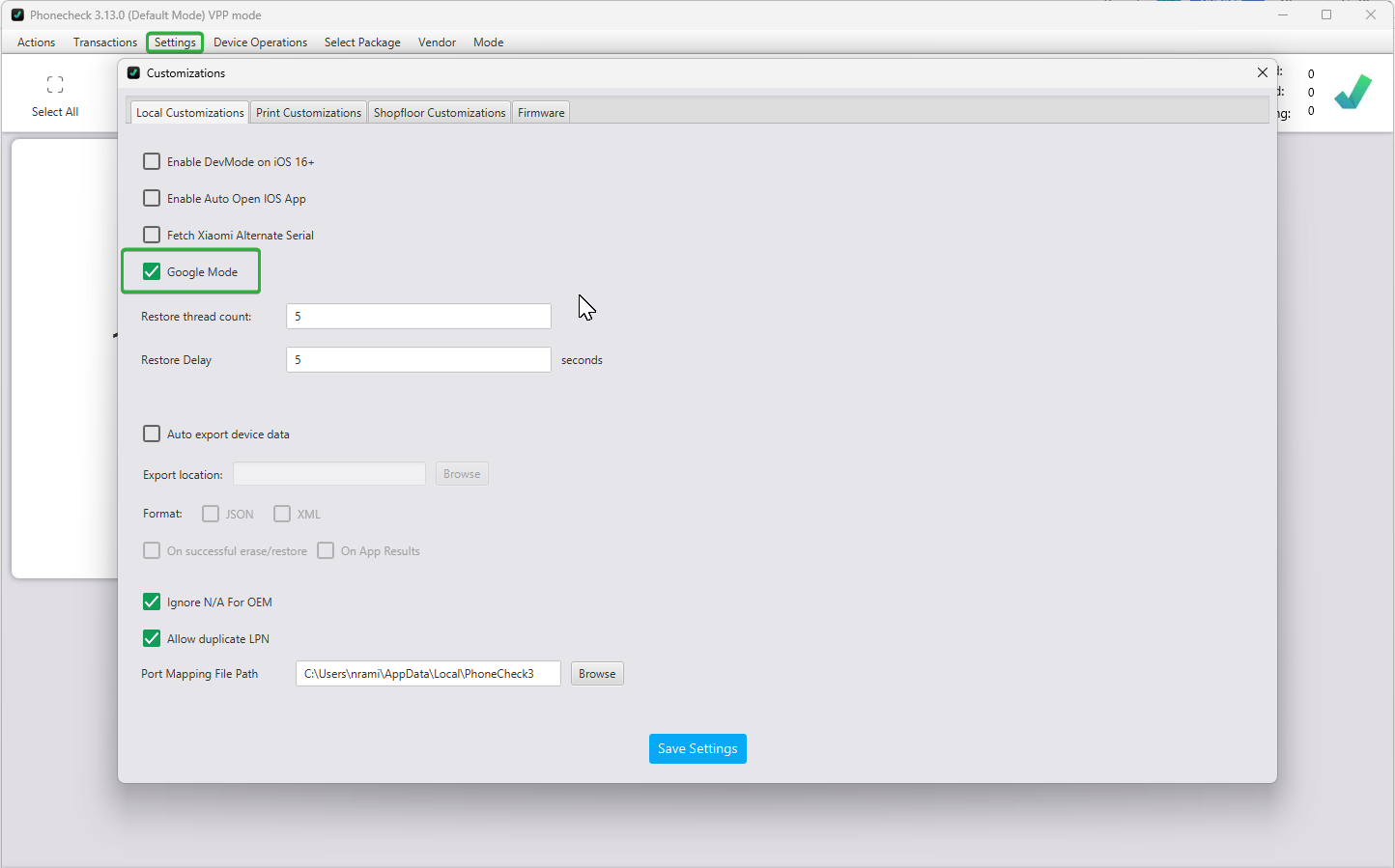
-
Once enabled and saved. Connect Android devices running Android OS 16 or later to Phonecheck Desktop 3.0.
-
Devices will automatically:
-
Complete activation
-
Reach the home screen
-
Enable USB debugging
-
Become ready for immediate testing
-
Typical preparation time: ~5 seconds per device
Known Limitations
-
Compatible only with Android 16 and above
-
Devices running earlier Android versions will continue to require standard manual setup methods