Overview
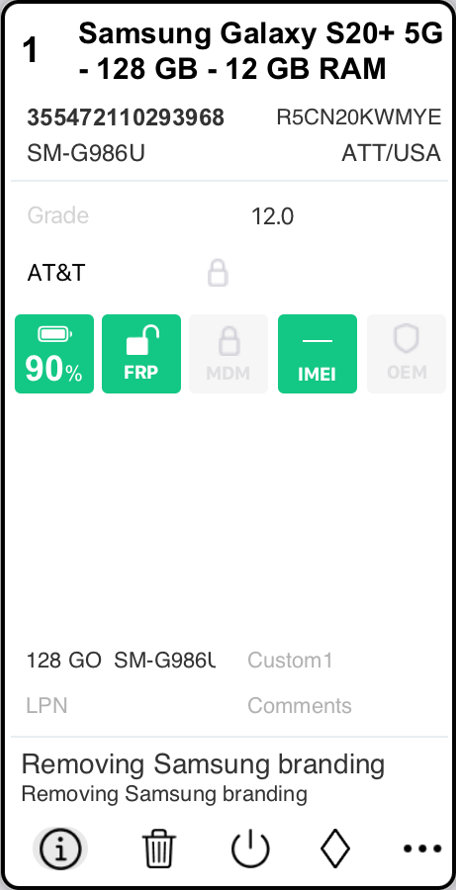
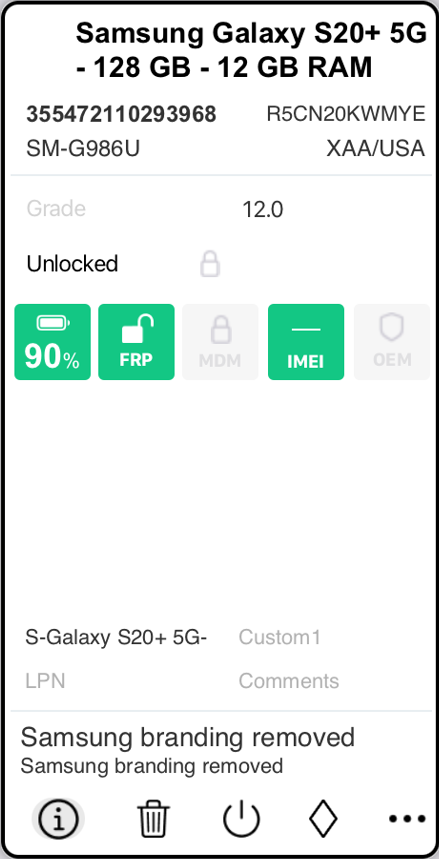
Samsung Carrier Un-Branding (Beta) is a feature within Phonecheck that removes carrier-specific startup branding from Samsung devices.
If a Samsung device displays a carrier splash screen during boot (such as Verizon or T-Mobile), this feature removes that branding as part of your configured device workflow.
This feature can be triggered automatically during specific workflow stages, depending on your configuration.
This will add 15-20 seconds to your processing as it will reboot the device.
|
|
How to Enable Samsung Carrier Un-Branding
Un-branding is configured at the Profile level inside the Dashboard Portal.
Step 1 – Access the Dashboard Portal
Navigate to the Dashboard Portal at:
https://dash.phonecheck.com/login
Log in with your Admin credentials.
Step 2 – Edit or Create a Profile
Locate the Profile you want to modify, or create a new Profile if you want un-branding applied only to specific processing workflows.
Un-branding must be enabled within the desired Profile.
Step 3 – Configure Device Workflow
Within the selected Profile, navigate to:
Customizations → Device Workflow
You will have two available setup options: Connection Workflow & Test Results Workflow
Option A – Setup on Connection Workflow
Navigate to:
Customizations → Device Workflow → Connection Workflow
Enable the setting labeled:
Remove Carrier Branding from Samsung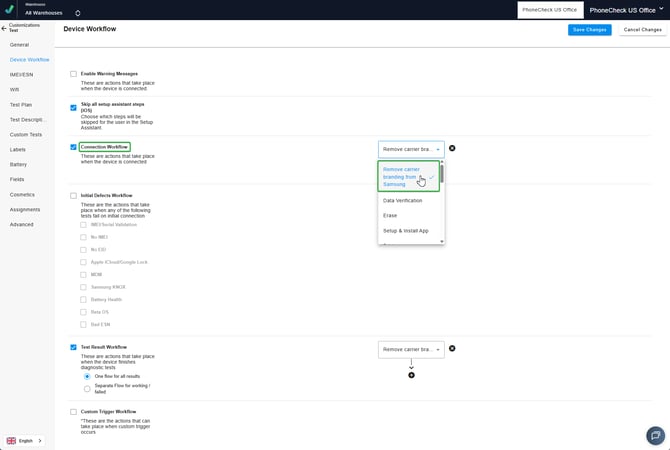
Behavior:
The un-branding process will initiate automatically when the Samsung device connects to Phonecheck.
Option B – Set up on Test Results Workflow
Navigate to:
Customizations → Device Workflow → Test Results Workflow
Enable the setting labeled:
Remove Carrier Branding from Samsung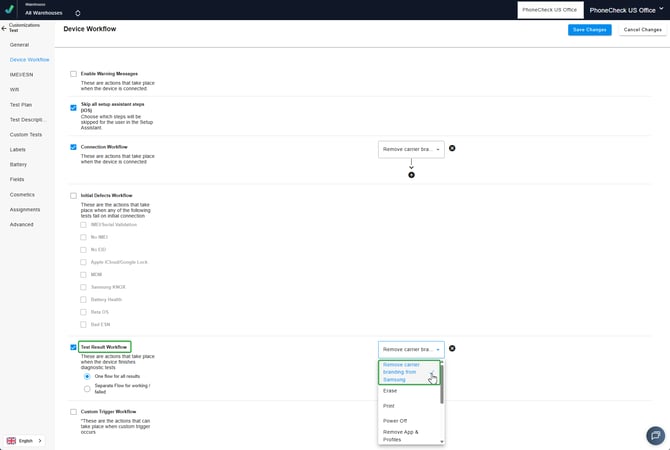
Behavior:
The un-branding process will execute during the Test Results stage of device processing.
Important Configuration Notes
-
Un-branding is Profile-specific.
-
Ensure the correct Profile is assigned to the processing station.
-
Only enable the feature in the workflow stage that aligns with your operational process unless intentionally testing both triggers.
Known Limitations (Beta)
-
The feature is currently in Beta.
-
Validation across all Samsung models is ongoing.
-
Workflow interaction behavior should be monitored during initial deployment.
-
Clients should verify compatibility with their existing erase, grading, and API workflows before full production rollout.